Creating Digital Survival Supply Drop Coordinates
You store critical files in encrypted, offline-first apps like Signal or Tresorit, then link them to real-world spots using weatherproof QR codes under benches or trail markers. Each site is 0.5 miles apart, with three backups for reliability. You test monthly to catch corruption early and rotate keys. Redundant storage across USB, cloud, and devices guarantees access even if one fails-just scan, decrypt, and go. Next steps reveal how to pick the right tools without overcomplicating.
Notable Insights
- Choose stable, low-traffic outdoor locations at least 0.5 miles apart for durable QR code placement.
- Use weatherproof, tamper-resistant stickers to protect QR codes on benches, utility boxes, or trail markers.
- Encode encrypted links to offline-first apps and survival files using self-hosted or zero-knowledge services.
- Test QR code readability and decryption monthly to ensure functionality and data integrity.
- Rotate encryption keys and re-upload core files across cloud, USB, and offline storage every month.
Define Your Digital Survival Supply Drop
A digital survival supply drop is your go-to collection of essential online tools, files, and resources, stored where you can access them when needed most. You maintain data sovereignty by controlling where and how your data lives-prefer encrypted, self-hosted, or privacy-first platforms. This isn’t about hoarding apps; it’s digital minimalism in action. You keep only what’s reliable, lightweight, and proven to work under stress. Every file, password, or software tool must earn its place. Think offline-accessible docs, encrypted contact lists, and verified bootstrapping guides. Redundancy matters-store copies across devices and secure cloud services. You accept trade-offs: minimalism limits convenience, but boosts resilience. You test access regularly. If it fails under basic stress-like spotty internet-it doesn’t make the cut. Your drop stays lean, secure, and functional. It’s not flashy. It works.
Pick Offline-First Apps for Your Drop
You’ve defined what goes into your digital survival supply drop-now it’s time to make sure those tools actually work when the connection doesn’t. Offline-first apps are essential because networks may fail when you need them most. Prioritize app reliability and built-in data backup to guarantee access and integrity over time. Choose apps that store data locally and sync only when online, reducing dependency on signal.
| Feature | Why It Matters |
|---|---|
| Local data storage | Guarantees access without internet |
| Automatic backup | Protects against data loss |
| Low battery use | Extends usability in the field |
| Minimal updates | Reduces reliance on connectivity |
Test each app offline to confirm performance. Avoid those requiring constant logins or cloud checks-they’re unreliable when isolated. Your survival gear must function on demand, not just when convenient. Plan for failure. Choose apps built for endurance, not convenience.
Hide QR Codes at Real-World Drop Sites
When you’re planning where to cache critical digital information, embedding QR codes at real-world drop sites adds a layer of stealth and accessibility that direct storage can’t match. You can turn physical locations into silent data vaults-each QR code acts like a modern time capsule, readable by any smartphone but invisible to casual observers. Use weatherproof, tamper-resistant stickers rated for 5+ years outdoors. Position them under benches, inside utility boxes, or on trail markers to blend in. Treat the process like a scavenger hunt: each clue leads to the next, ensuring redundancy if one site is compromised. QR codes are low-cost, spatially efficient, and don’t require power. They’re not unhackable, though-pair them with offline apps and encrypted files. You’ll trade slight setup effort for long-term access. Test scan distances: most work within 12–18 inches. Plan routes with at least three drops spaced 0.5 miles apart. This method works best in low-traffic, stable environments.
Send Encrypted Drops to Trusted Contacts
Not every data drop needs a physical location. You can send encrypted drops directly to trusted contacts using secure channels like Signal, ProtonMail, or Tresorit. These platforms provide end-to-end encryption and support trusted verification, ensuring only the intended recipient accesses the data. Always confirm identities before sending. Use strong passphrases and avoid attachments over 25MB to prevent delivery failures. Below is a comparison of common tools:
| Tool | Max File Size | Encryption Type |
|---|---|---|
| Signal | 100 MB | End-to-end |
| ProtonMail | 25 MB | PGP-based |
| Tresorit | 50 GB | Zero-knowledge |
| Sync.com | 20 GB | AES-256 |
| OnionShare | No limit | Onion-routing + HTTPS |
Choose based on file size, ease of access, and recipient familiarity.
Test & Refresh Your Digital Drop Monthly
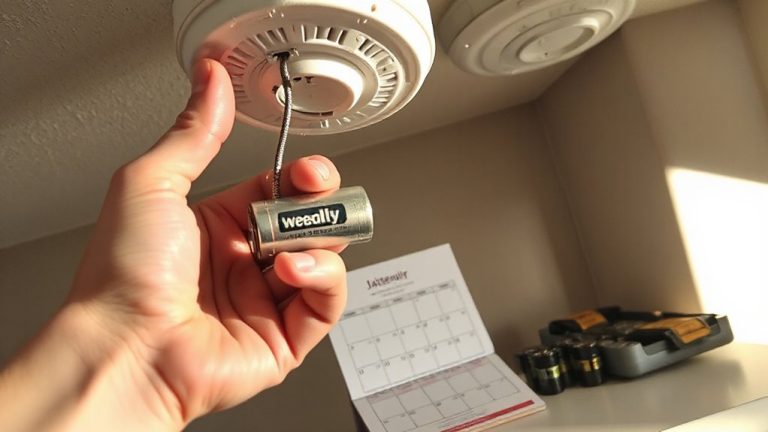
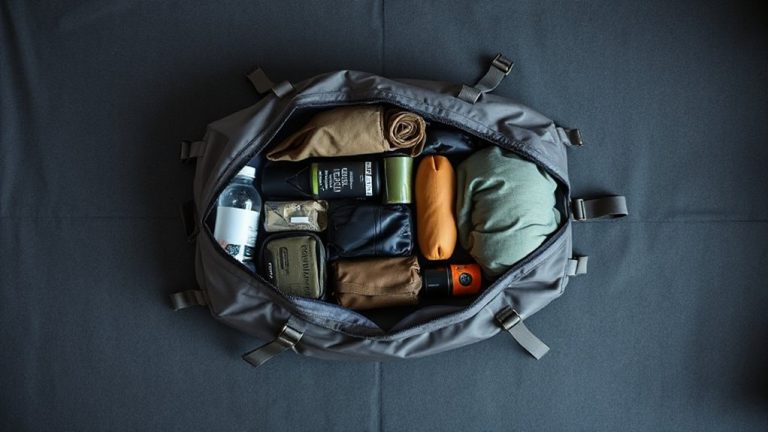
While digital supply drops can remain secure for long periods, they’ll fail you if not tested and refreshed regularly-files corrupt, passwords expire, and platforms update in ways that break access. You should test your digital drop monthly to verify file integrity, confirm decryption works, and guarantee all links and credentials are current. This routine is basic digital hygiene, just like checking a physical bug-out bag. Update encryption keys, rotate passwords, and re-upload critical files to maintain reliability. Use automated scripts or calendar alerts to stay consistent. Sync your backup strategies across multiple formats-cloud, USB, and offline storage-so no single point of failure dooms your kit. Refresh metadata, verify timestamps, and delete outdated versions to reduce clutter and risk. A tested drop is a trustworthy drop. Skip the steps, and you’re gambling with access when it matters most. Simple, regular checks keep your digital survival plan functional and predictable.
On a final note
You’ve built a functional digital survival drop. Offline apps work when connectivity fails, and QR codes at physical sites give reliable access. Encrypted shares keep data secure but require trusted recipients. Monthly tests confirm every link and file still works-failures are fixed immediately. Storage limits and device compatibility affect performance. Balancing simplicity and security means some trade-offs, but the system stays durable, repeatable, and field-tested. It’s not flashy, but it functions under pressure.