Creating Emergency Communication Plans for People With Speech Disabilities
You need a fast, reliable way to communicate when power fails or stress hits. Map your current methods-sign language, gestures, AAC devices-and test them under pressure. Pick devices that boot in under 10 seconds, work without Wi-Fi, and last at least eight hours. Include low-tech backups like waterproof boards. Train others, run drills, and update the plan regularly. What works in theory must work in chaos. Next steps reveal what actually survives real emergencies.
Notable Insights
- Identify primary and backup communication methods, including AAC devices, gestures, or communication boards.
- Ensure emergency tools work without power, Wi-Fi, or cell service, especially during disasters.
- Choose rugged, fast-booting AAC devices with long battery life and GPS or Bluetooth capabilities.
- Assemble a lightweight, waterproof emergency kit with chargers, mounts, and backup communication aids.
- Train family and responders through realistic drills and update plans every six months for changes.
Map Your Loved One’s Communication Methods
If you’re supporting someone with a speech disability, the first step is identifying exactly how they communicate-whether through sign language, written notes, speech-generating devices, or gestures-because knowing their primary and backup methods guarantees you can respond quickly in a crisis. You need to understand their communication patterns: when they use eye gaze versus texting, or which device settings work fastest under stress. Noting their language preferences-like ASL over written English or symbol-based apps-ensures messages stay clear and accurate. Some rely on tablets with preloaded phrases; others use low-tech boards. Devices fail, pens run out. Test each method under time pressure. Does the device boot quickly? Can they point accurately when anxious? Map what works daily and what serves as backup. This plan isn’t about preference-it’s about function, speed, and reliability when seconds count.
Anticipate High-Risk Emergency Situations
What happens when the power fails during a home fire and your speech-generating device shuts down? You’re at risk of being misunderstood or ignored, especially during natural disasters or medical crises. These situations demand quick, reliable communication, yet many AAC users rely on devices that fail without backup power. Flash floods, earthquakes, or sudden health events like anaphylaxis limit response time. You can’t afford delays when first responders arrive and don’t understand your needs. Consider how long your device lasts on battery during outages. Does it work in extreme temperatures? Can you access critical phrases without Wi-Fi? Planning for these risks means identifying when and where your device might fail. Test communication methods under stress conditions-simulated blackouts, mobility limits, or high-noise environments. Real-world performance matters more than features. A reliable backup option is a NOAA weather radio that operates independently of internet and cellular networks.
Pick Fast, Reliable AAC Tools for Crises
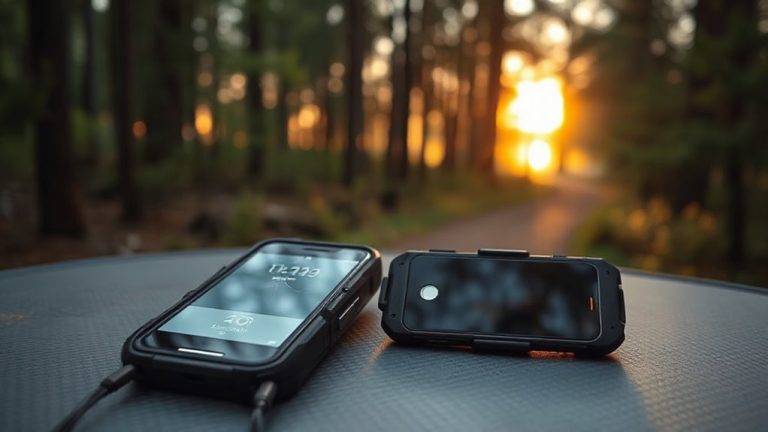
When seconds count, your AAC tool must deliver clear communication without delay, and that means choosing devices built for speed and durability. Look for models with fast boot-up times-under 10 seconds-so you’re not waiting during emergencies. Prioritize signal reliability: devices with strong Wi-Fi and cellular backup maintain connections even when networks are stressed. Bluetooth and GPS integration improve coordination with responders. Test device compatibility with emergency apps and public alert systems to guarantee seamless operation. Rugged, waterproof designs withstand extreme conditions without performance loss. Battery life matters-aim for at least eight hours on standby with power-saving modes. Avoid tools requiring constant cloud syncing, as dead zones can cut access. Stick to models proven in real-world drills, not just lab specs. Speed, durability, and tested connectivity beat flashy features every time. Choose what works when failure isn’t an option.
Build a Personalized Emergency Communication Kit
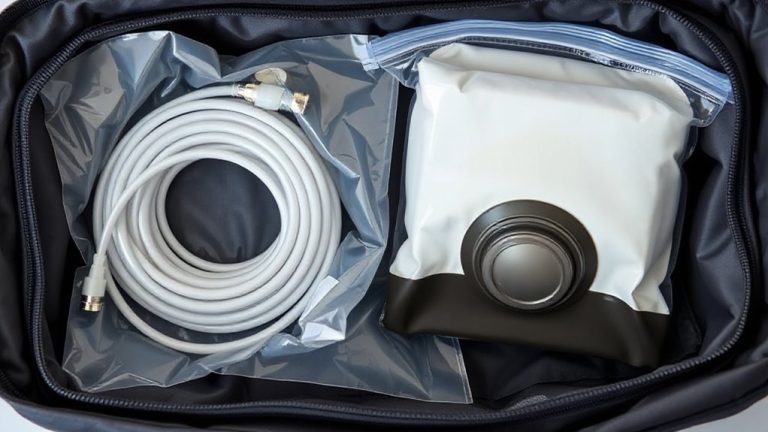
You’ve picked a fast, reliable AAC device-now build a kit around it that works as hard as you do when emergencies hit. Include custom accessories like waterproof cases, mounting brackets, and simplified keyguards that prevent mispresses under stress. These aren’t just add-ons-they’re functional upgrades that improve access in chaos. Power solutions must be practical: pack at least two external batteries rated for your device, ensuring 16+ hours of backup. Test them under real-world load, not just ideal conditions. A hand-crank charger adds redundancy when outlets vanish. Store everything in a labeled, durable pouch you can grab fast. The kit should weigh under 2 pounds so it’s easy to move. Rely on proven components-not hype. If an accessory hasn’t held up during drills, replace it. Your kit only works if every piece performs when needed.
Prepare Family and First Responders in Advance
How quickly can your family or first responder access your emergency info if you can’t speak? You need them to act fast, and that means preparing them in advance. Share your emergency contacts and assign clear response roles so everyone knows their job. Store key info in multiple places-phone, home, and wearable ID. Make sure your plan is simple and tested.
| Person | Emergency Contacts | Response Roles |
|---|---|---|
| Family Member | 2 primary, 1 backup | Alert responders, grab kit |
| Neighbor | Phone & text preferred | Signal first responders |
| First Responder | Pre-loaded device data | Use AAC, check ID jewelry |
Roles must be specific, contacts verified. Redundancy reduces failure. Practice access under stress to confirm speed and clarity.
Run Realistic Drills With Communication Built In
Even though drills can’t predict every emergency, they expose gaps in your communication plan you won’t see otherwise. You need to test how well you can relay critical information when stressed or in motion. Run role playing scenarios with family and responders to mimic real conditions-fire evacuation, medical crisis, or lockdown. Use your AAC device, speech app, or written cards as you would in an actual event. Communication simulations help you assess speed, clarity, and reliability under pressure. Try different environments: low light, noisy rooms, outdoor spaces. Note what works and what fails. Adjust tools or signals based on performance. Include others in drills so they learn your methods. Realistic practice reveals delays, misunderstandings, or equipment limits you can’t spot in theory. It’s not about perfection-it’s about identifying flaws before they cost time or safety. Drill often, stay sharp, and make communication a practiced reflex, not guesswork.
Review and Refresh Your Plan Every 6 Months
Regularly reviewing your emergency communication plan every six months guarantees it stays functional and up to date with your current needs. Changes in health, technology, or living situation can impact how well your emergency protocols work. You might acquire a new device, move to a different building, or find that current tools no longer meet accessibility standards. Test each step of the plan with the people involved, including caregivers or emergency contacts. Confirm that alert systems still function and that communication apps haven’t lost compatibility. Update contact lists and check battery performance on assistive devices. Small adjustments now prevent failures later. This routine secures your plan remains practical under real conditions. Six-month reviews build consistency without overwhelming effort and support long-term reliability when every second counts.
On a final note
You need a working plan, not guesswork. Test your AAC device’s battery life under stress-replace weak ones. Include paper backups; they don’t crash. Train responders ahead of time-delay kills. Drills reveal flaws fast. Update every six months-tech changes, needs shift. This isn’t perfect, but it’s proven: clear steps, tested tools, repeat. You’ll cut response time. That’s what matters.