How to Attach a Portable Power Bank to Your Bug-Out Bag for Continuous Charging
Secure your power bank to your bug-out bag using built-in straps or MOLLE mounts for quick access and to prevent loss during movement. Choose a 10,000mAh model-it’s enough for two full phone charges without the bulk of larger units. Route cables through loops and secure with Velcro to avoid tangles and port strain. Test the setup while walking or moving to guarantee stability. A well-mounted system stays reliable when you need it most, especially below 5% battery. More details on optimizing the full setup follow.
Notable Insights
- Choose a slim, pocket-sized power bank that fits securely in your bag’s designated storage pocket.
- Use built-in straps or MOLLE compatibility to attach the power bank externally for quick access.
- Route charging cables through loops or sleeves and secure with Velcro to prevent tangling and damage.
- Position the power bank so connectors face upward and cables don’t dangle during movement.
- Test the setup while walking or running to ensure stability and easy access at low battery.
Choose a Power Bank That Fits Your Bug-Out Bag
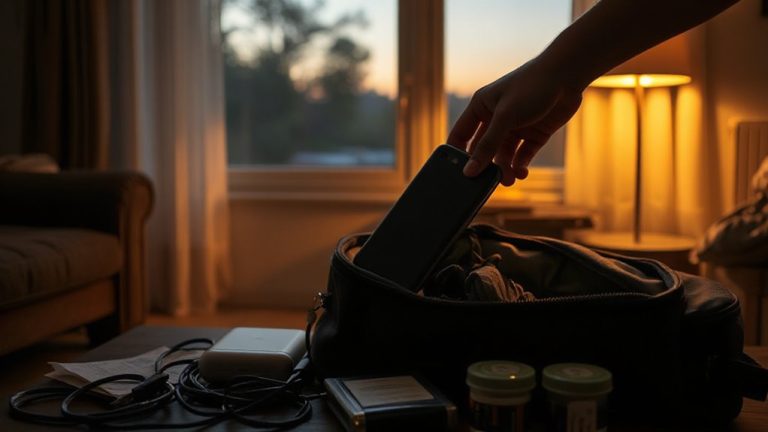
When picking a power bank for your bug-out bag, size and capacity need to match your actual needs-no more, no less. You don’t need a 20,000mAh brick if you’re only charging a phone and a flashlight. Look at power capacity regarding device cycles: a 10,000mAh unit typically gives two full phone charges. Overpacking adds weight and wastes space. Bag compatibility is just as critical. Measure your storage pockets-some power banks are too thick or long. A slim, pocket-sized model fits better in most bags and stays secure during movement. Avoid bulky designs with excessive cables. Rugged casing helps, but only if it doesn’t compromise fit. You want reliable power without straining bag zippers or throwing off balance. Choose a model that fits snugly, with room for other essentials. Test it in your actual bag before committing. A well-organized bag might also benefit from using a collapsible duffel bag with wheels to save space when not in use.
Attach It for Fast, Secure Access
Keep your power bank within reach by securing it to the exterior of your bug-out bag using built-in straps, MOLLE compatibility, or a durable loop. A secure mount guarantees it won’t shift or fall during movement, which is critical when you’re on uneven terrain or moving quickly. Mounting externally also gives you quick access-no need to dig through your bag when your phone’s at 5%. MOLLE offers a reliable attachment if your bag supports it, while elastic loops work well for smaller power banks. Avoid loose placement; it increases loss risk and slows retrieval. A secure mount doesn’t just protect the device-it supports efficient power use in high-stress situations. Test the setup by walking or running with your loaded bag. If the unit stays put and remains easy to unclip or grab, you’ve got the right balance of security and quick access. A well-designed tactical backpack will feature multiple external attachment points specifically for accessories like power banks.
Route and Secure Charging Cables
You’ve got your power bank secured externally for fast access, but none of it matters if your cables turn into a tangled mess or get damaged mid-evac. Proper cable management guarantees reliability when you need it most. Route cables through dedicated loops or sleeves on your bag to minimize snags and keep them predictable. Use Velcro straps or elastic keepers-avoid zip ties, which can’t be adjusted and may damage insulation. Position connectors so they don’t dangle freely, reducing stress on the ports. Strain relief is critical: choose cables with reinforced ends, and don’t let them bear the weight of connected devices. A loosely draped cable pulls on the power bank or device port, increasing failure risk. Coiling excess length neatly prevents tripping hazards and tangles. Test the setup during movement-cables should stay aligned, not whip or snag. Good strain relief and smart routing mean fewer failures in high-stress situations.
Keep Devices Charged on the Move
Though having a charged power bank is essential, it won’t do much good if you’re not strategic about how and when you use it on the move. You’ll need to balance power consumption with necessity-charge devices only when critical. Use battery insulation to prevent drain in extreme temperatures; most power banks lose efficiency below 32°F or above 95°F. Keep your cables short and shielded to minimize loss over distance. Connector hygiene matters-dirt and moisture in ports increase resistance, slowing charging and wearing down batteries faster. Wipe contacts with a dry, lint-free cloth regularly. Charge phones to 50–80% for ideal longevity and immediate readiness. Recharge the power bank itself when it drops below 30%. Avoid full discharges to extend cycle life. Prioritize essential gear like radios or GPS-don’t waste power on non-critical devices. A reliable emergency tool like a car window breaker for laminated glass can be crucial during vehicle extrication when every second counts.
Test Your Setup Before an Emergency
A fully charged power bank won’t help if it fails when you need it most. You’ve got to run regular performance checks to confirm it still holds its rated capacity and charges devices at expected speeds. Over time, battery efficiency drops, so test it every few months under real conditions. Plug in your phone, GPS, or radio and see how many times it charges them. Don’t wait for disaster-use emergency drills to simulate power needs under stress. Test cable durability, connection stability, and heat buildup during use. If the power bank can’t deliver consistently during drills, it’s a risk you shouldn’t take. Replace worn cables or aging units before they fail. Your setup’s reliability isn’t about specs on paper-it’s about what happens in the field. Test early, test often, and trust only what you’ve verified.
Add Solar or Backup for Longer Outages
If your power bank runs out during an extended outage, having a way to recharge it becomes critical. Solar integration offers a reliable solution when grid power is unavailable. Compact, portable solar panels-like 10–20W foldable models-can recharge most power banks in 4–8 hours of direct sunlight. Check efficiency ratings; monocrystalline panels perform better in low light. Pair your primary power bank with a secondary one for battery redundancy. This doubles your stored energy without relying solely on solar, which may underperform on cloudy days. A 20,000mAh backup unit adds minimal weight but extends device runtime considerably. Use USB-C or USB-A passthrough charging to daisy-chain power sources. Solar won’t replace wall charging speed, but it guarantees gradual replenishment when outlets aren’t an option. Balance dependability and practicality: solar plus spare capacity keeps critical gear running longer.
Optimize for Weight and Durability
When packing a portable power bank for your bug-out bag, every ounce matters-opt for models that deliver high capacity without unnecessary bulk. Prioritize weight distribution by securing the power bank close to your back and centered in the bag. This prevents shifting and improves balance on long hikes. Material strength counts too: look for ruggedized casings like ABS plastic or aluminum that resist drops and moisture without adding excessive weight.
| Model | Weight (oz) | Material Strength |
|---|---|---|
| Jackery 10000 | 7.2 | Medium (plastic) |
| Anker 757 | 13.4 | High (aluminum) |
| Goal Zero 350 | 9.5 | Medium |
| RAVPower 22000 | 12.8 | Low |
| EcoFlow River 2 | 11.6 | High (composite) |
Choose based on your load and terrain. Heavy-duty use demands better material strength and smart weight distribution.
On a final note
You’ll need a power bank that fits your bag’s dimensions and matches your device’s watt-hour rating for realistic charge cycles. Secure it with a compression strap or MOLLE for quick access. Route cables neatly to avoid snags. Test the setup on a trial hike. Solar adds backup but increases weight. Balance capacity against mobility-more mAh means heavier loads. Durability matters most in wet or rough terrain.