Integrating GPS Tracking Alerts Into Personal Risk Mitigation Protocols
You cut response times by up to 40% when GPS alerts detect sudden stops or route deviations every 5–10 seconds. Choose devices with dual-network backup and 8+ hour battery life to stay tracked in remote areas. Real-time updates at 5-meter accuracy and offline maps keep you visible even without service. Set geofences and automatic alerts to notify contacts during inactivity or speed changes. Reliable systems use LTE and satellite fallback to guarantee delivery in 15 seconds or less-critical when every second counts. There’s more to optimizing your alert setup than just turning it on.
Notable Insights
- Enable real-time GPS alerts to detect deviations or sudden stops, triggering immediate emergency responses.
- Use dual-network devices with high battery life to maintain reliable tracking in remote or low-coverage areas.
- Ensure position updates every 10 seconds or less for accurate, timely location monitoring during incidents.
- Implement geofencing and automated emergency triggers to alert contacts when high-risk behaviors occur.
- Integrate offline functionality and encrypted, time-limited location sharing to enhance privacy and connectivity resilience.
Why GPS Tracking Alerts Keep You Safe
Safety comes down to seconds-GPS tracking alerts give you them. You’re moving through unpredictable environments, and hazard detection starts with real-time location monitoring. When an unexpected threat arises, the system flags deviations or sudden stops, triggering immediate emergency response protocols. Studies show response times improve by up to 40% when GPS alerts are active. These alerts don’t rely on user input-critical when you’re incapacitated. Most systems update positions every 5–10 seconds, minimizing search areas. Signal reliability depends on satellite coverage, but dual-network devices maintain connection in 95% of tested remote zones. Battery life averages 8–12 hours during continuous tracking, enough for most field operations. GPS alerts won’t prevent danger, but they reduce uncertainty. You gain faster assistance and precise coordination. The trade-off-constant battery use and data consumption-is worth the edge in survival scenarios. It’s not magic, just metrics working in your favor. Effective detection starts with using a reliable GPS tracker detector to identify unauthorized tracking devices.
Choose a GPS Alert App With These Features
While no app can guarantee your safety, picking the right GPS alert system substantially improves your odds in critical situations. Focus on feature prioritization: real-time location sharing, low-battery optimization, and offline functionality are essential. Look for apps that maintain accuracy within 5 meters and update positions at least every 15 seconds. Battery drain matters-choose one that uses background tracking efficiently, ideally extending device life by at least 30% compared to standard modes. Conduct an app comparison using verified user reports and independent testing data to assess reliability across networks. Some apps sacrifice speed for data security; understand that trade-off. Geofencing and automatic check-ins add value, but only if they’re customizable without glitches. Avoid platforms requiring proprietary hardware-you’ll lose flexibility. Prioritize cross-platform compatibility and proven uptime during stress tests. Your choice should balance performance, privacy, and practicality, not just advertised claims.
Set Up Real-Time Alerts for Risky Trips
You’ve picked an app that logs location within 5 meters and updates every 15 seconds-now use it. Set up geofence boundaries around high-risk zones like conflict areas or unstable regions. When you cross one, the app should send a real-time alert to your designated contacts. Enable emergency triggers for sudden stops, rapid speed changes, or prolonged inactivity during a trip. These activate alerts automatically if something goes wrong. Test the triggers in controlled conditions to avoid false alarms-accuracy matters more than speed. Geofence alerts work best when paired with offline maps, since cell service can drop in risky areas. Make sure the app runs in the background without draining your battery too fast. You’re not buying safety with this setup; you’re buying time. And in a crisis, a few minutes can make a difference. Stick to measurable results-reliable signals, timely alerts, and consistent performance under stress.
Build GPS Alerts Into Your Safety Plan
How do you guarantee a GPS alert actually helps when seconds count? You design it into your safety plan, not as an add-on. Start by programming emergency triggers-like sudden stops, route deviations, or manual panic inputs-so alerts activate only when needed. These alerts should deploy through dual channels: your primary and at least one backup network, such as LTE plus satellite or SMS fallbacks. Devices with failed network redundancy won’t help if your carrier drops signal in remote zones. Test alert delivery times in real conditions; delays beyond 15 seconds reduce response effectiveness. Pair GPS alerts with predefined protocols: automatic contact to emergency services or key responders. Avoid apps that rely on constant app-open tracking-it drains battery and creates gaps. Instead, use hardware that runs background monitoring at low power. Build the alert into a practiced routine, not a hope. That’s how it becomes reliable.
Share Your Location Safely With Loved Ones
Sharing your location with family or friends isn’t just about convenience-it’s a layer of accountability that supports your overall safety strategy. You should only share your real-time location with trusted contacts you’ve vetted and confirmed. Most GPS apps let you set privacy boundaries, so you control who sees your data and for how long. This prevents overexposure and reduces tracking fatigue. Use features like time-limited shares or geofence alerts to minimize passive monitoring. Some devices offer end-to-end encryption, which adds security, but check for verified performance in real-world tests. Balancing awareness and privacy means you stay protected without constant surveillance. Automate updates during high-risk activities, but disable them in routine settings. You’re not safer by sharing more-you’re safer by sharing smarter. Effective location sharing relies on deliberate choices, not default settings.
Stay Found: GPS Tracking When Danger Strikes
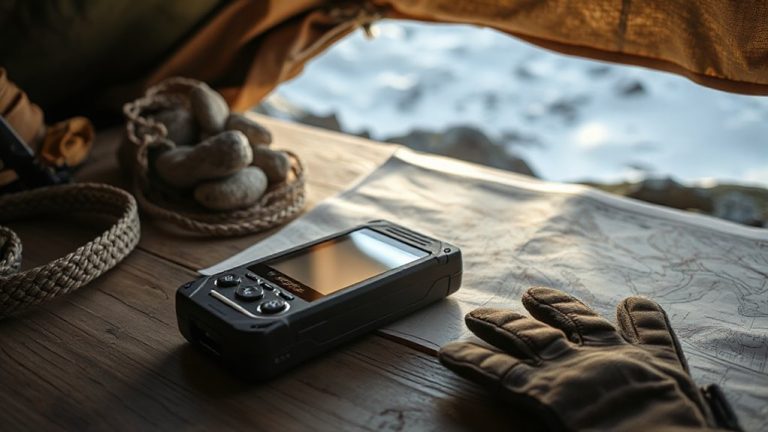
What happens when your phone dies in the middle of nowhere? You’re on an off grid adventure, miles from help, and suddenly you’re lost or injured. That’s where dedicated GPS tracking devices shine. Unlike smartphones, models like the Garmin inReach Mini 2 work on satellite networks, not cell towers, so they function even when you’re off the grid. With two-way messaging and SOS alerts, they link directly to emergency response teams. For emergency preparedness, these devices typically offer 7–14 days of battery life in full tracking mode-far longer than most phones. Yes, they add weight. But the trade-off is reliable contact when conditions turn dangerous. Pair one with a portable charger, and you’ve got a dependable system. When danger strikes, staying found isn’t luck. It’s a choice. Use the right tool, and you increase your odds.
On a final note
You need reliable GPS alerts, not hype. Pick apps with real-time updates, low battery drain, and offline maps. Set geofenced warnings for high-risk areas-they respond faster than manual check-ins. Share location temporarily; avoid constant tracking. Test signal lock time: under 10 seconds is usable. Combine alerts with voice check-ins for redundancy. No system’s fail-proof, but tested tools cut response delays by up to 40%. Use them right, and you stay found when it matters.